Linux, bypass root password from GRUB
The root or user password of a Linux machine can be bypassed thank to GRUB.
Following conditions are needed:
- Grub isn’t password protected
- Disk encryption isn’t enabled
It works on legacy BIOS and UEFI installation.
Boot Linux without password
Power on your machine. When grub is ready, select your Linux OS entry and edit it by typing on e.
On this GRUB configuration, search for the line starting with linux /boot/vmlinuz :
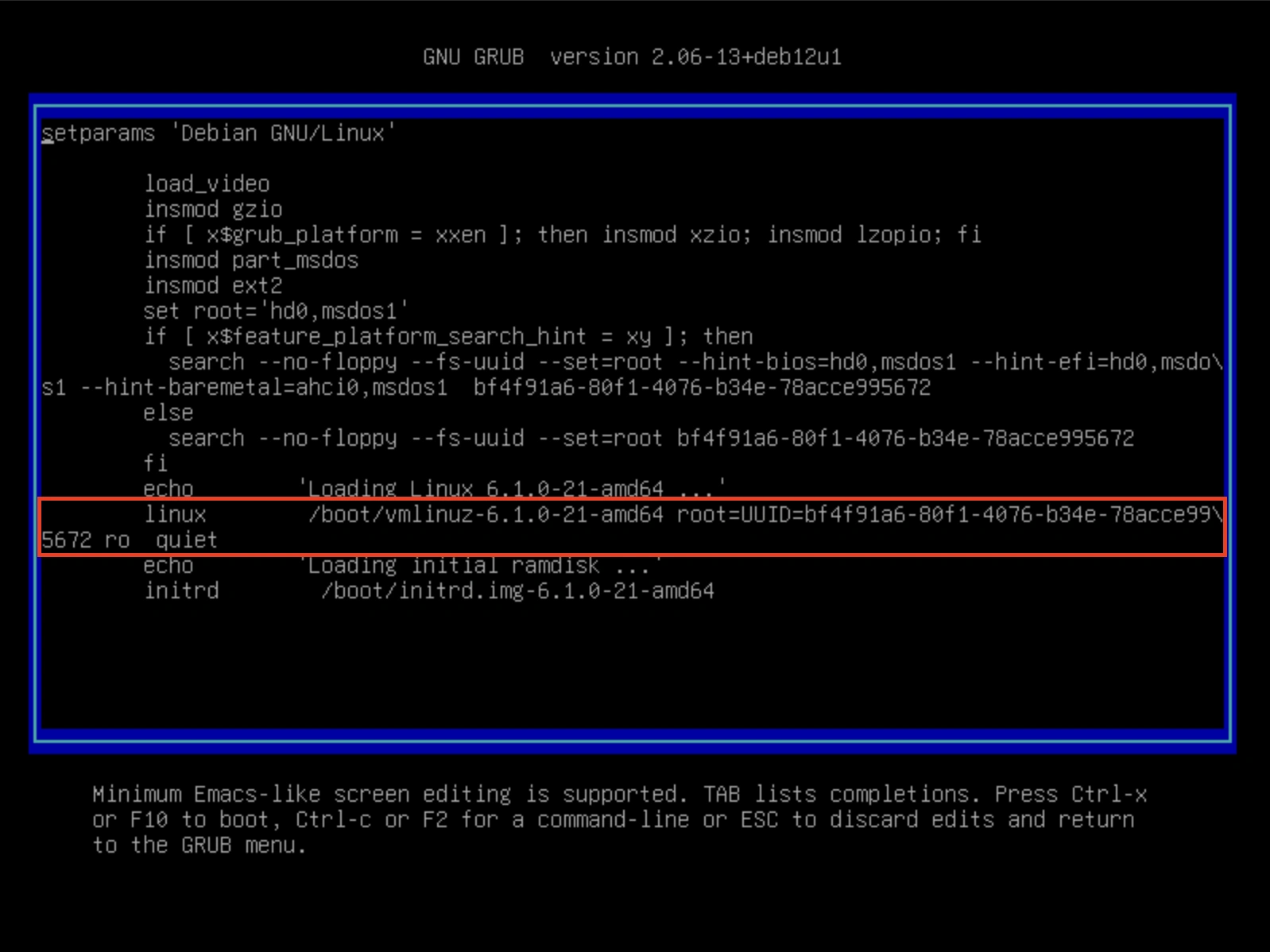
Remove the read only option ro and add these options: rw init=/bin/bash:
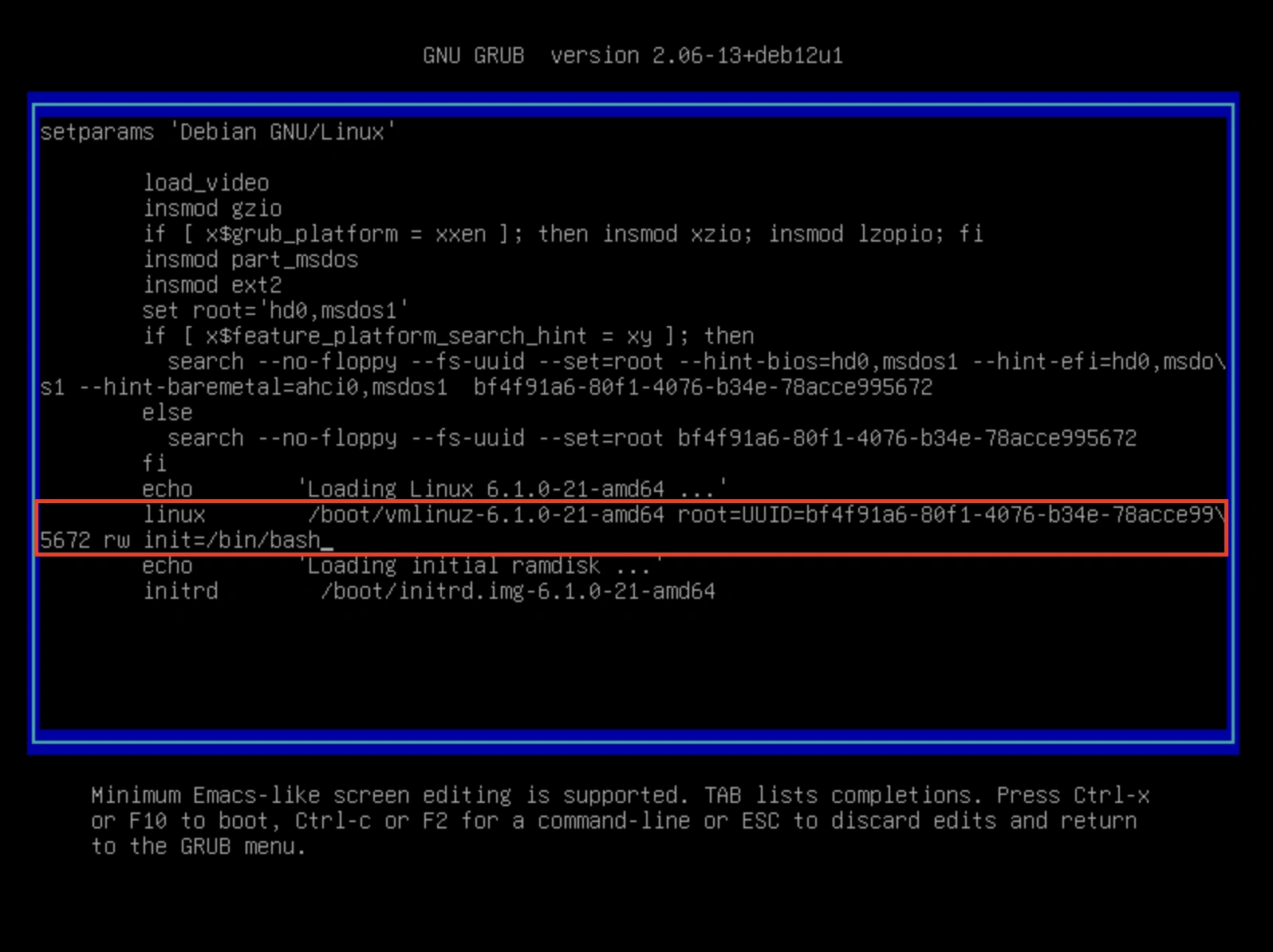
With this init option, kernel will run /bin/bash as init rather than normal system init process.
Use ctrl+x or f10 to boot.

As root user, you can do what you need, change a password, add a new user, etc
Remediation and best practices
To avoid this security issue, protect your computer with storage encryption and a password on grub configuration.